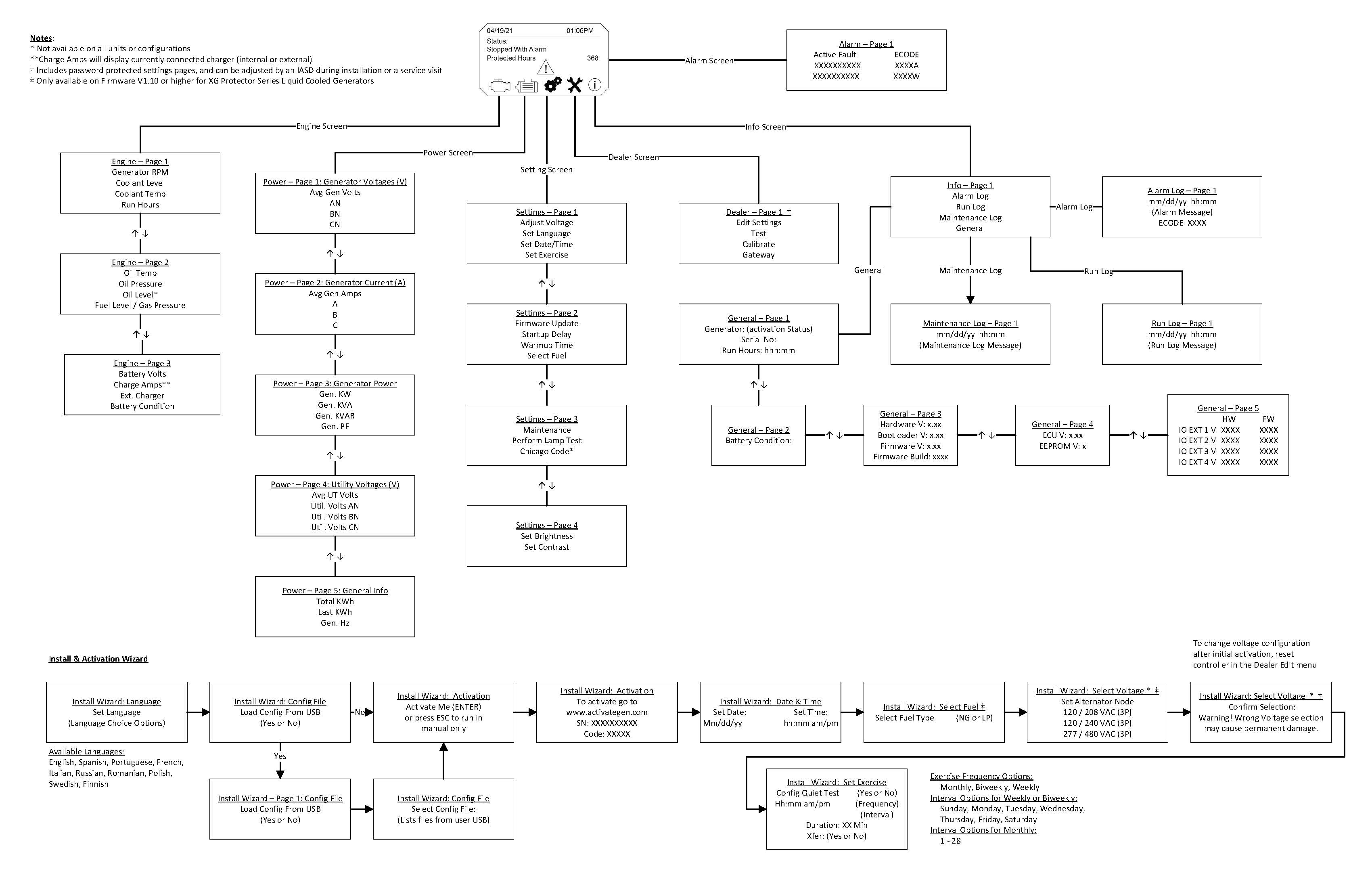
Power Zone 410 layout, navigation, and menu map
This information can be found in the generator's user manual. For more information, see How Do I Find a Copy of My Home Standby Generator Owner's Manual, Spec Sheets, or Installation Manual?.
For more information, see What is the Power Zone 410 controller?
Environment
Power Zone 410 menu map and layout
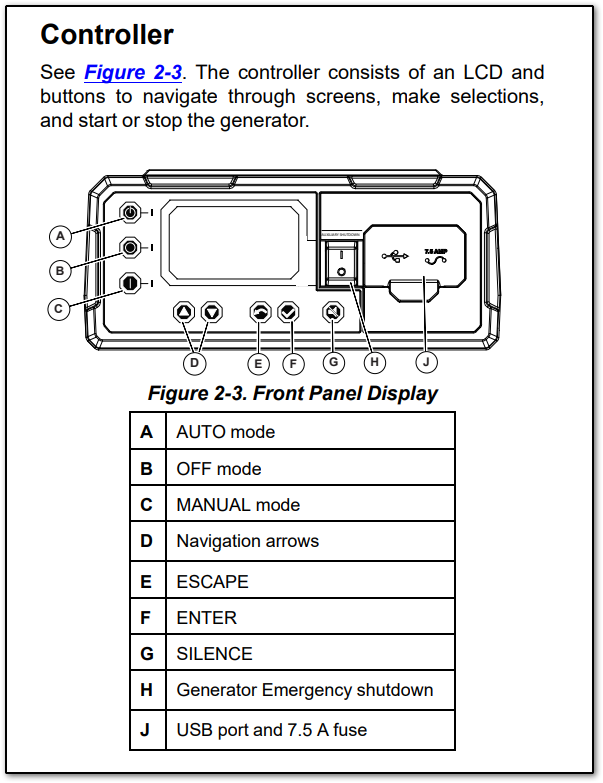
Refer to Figure 2-3 (above) for button locations. Use the navigation arrows to move between screens. Press ESCAPE to return to the previous screen or menu, and press ENTER to confirm a selection.
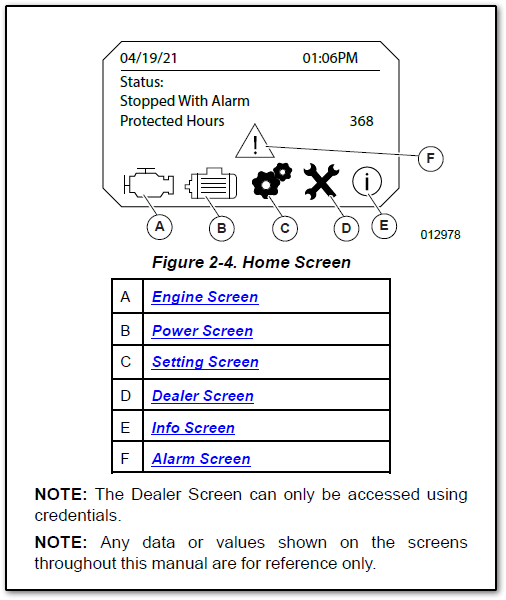
Refer to Figure 2-4 (below) for the home screen layout. The six main screens shown (Engine, Power, Settings, Dealer, Info, and Alarm) provide access to all pages and sub-pages.
Menu map
The map can also be downloaded at this link.