Fuel Monitor “Device ID doesn’t exist” error in Mobile Link
Environment
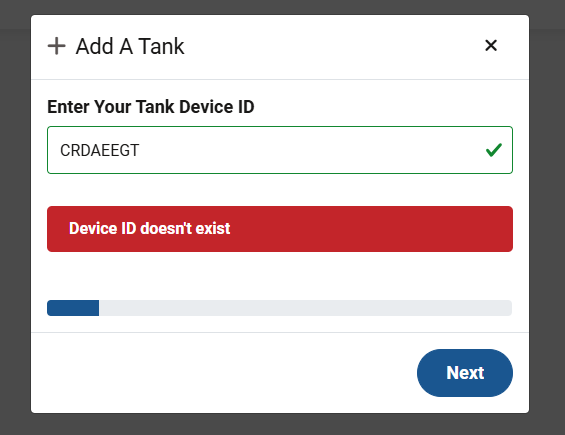
This article applies to Generac-branded propane fuel monitors when attempting to add them in the Mobile Link app or website. After entering the device ID, an error message displays: “Device ID doesn’t exist”.
Clarification on adding a fuel monitor to Mobile Link
Currently, only LTE Generac-branded tank monitors (V2) can be enrolled within Mobile Link. Prior Wi-Fi and older cellular (V1) monitors could be added. Wi-Fi monitors were discontinued as of July 31, 2025. The older cellular V1 units are supplier-owned and can no longer be added.
- V2 monitors are compatible with Mobile Link and can be added.
- V1 monitors are not compatible with Mobile Link and cannot be added. If you would like to set up an account, you can go to app.tankutility.com. For support on these monitors, contact TU.support@anova.com.
- Wi-Fi monitors are also not compatible with Mobile Link and are currently discontinued.
Troubleshooting
- Confirm the device you are entering in Mobile Link matches the ID number printed on the back of the tank monitor. If the device ID did not match, re-enter the correct device ID and proceed as normal. If it does match, continue to step 2.
- Check the label near the device ID on the back of the monitor. Does it show “Wi-Fi”? If yes, you will need to upgrade to a cellular tank monitor. See this reference article. If no, proceed to step 3.
- Look for “MC” or “MCP” on the monitor label (some very old units may show “V” or “VP”). These are cellular monitors, but due to recent changes, they can no longer be added to Mobile Link. They are supplier-based monitors owned by Anova. To set up an account, go to app.tankutility.com. For support on these monitors, contact TU.support@anova.com.
Note: You may also have a newer unit labeled “Generac Fuel Tracker Gen 5 LTE.” Although these are branded Generac, they are owned and supported by Anova.
Examples
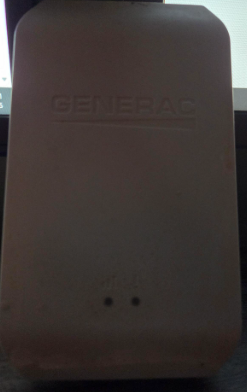
Older style fuel monitor:
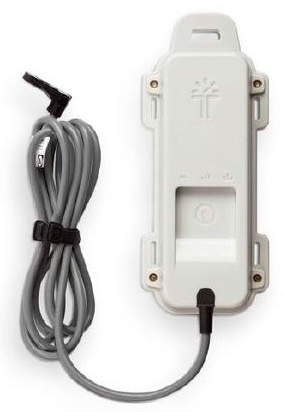
Generac Fuel Tracker Gen 5 LTE: