Home standby generator control panel firmware updates
Firmware cannot be manually updated by the end user, and Generac does not publicly offer downloads for generator control panel firmware. Evolution 2.0, Sync 3.0, and Power Zone 200 controllers will automatically apply firmware updates over-the-air (OTA) if there is sufficient signal in the network connection. Older control panel models require a dealer visit to update the firmware.
Environment
This information applies to Generac and Honeywell air-cooled home standby generators that feature an Evo 1.0, Evo 2.0, Sync 2.0, Sync 3.0, or Power Zone 200 controllers See: What Functionality & Commands Does Each Generator Controller Support? for a list of control panels and features.
Firmware update details
What if my home Wi-Fi connection to the generator is unreliable?
Firmware updates can fail if the Mobile Link Wi-Fi device on the generator does not have a reliable connection. For generators with an Evolution 2.0 controller, it is recommended to have a minimum of 30% or higher signal strength in order to reliably download firmware updates.
- First, confirm you have a dedicated 2.4 GHz connection for the Mobile Link Wi-Fi device: Is My Wi-Fi Network Compatible With Mobile Link?
- If connection issues continue, upgrading to the Connectivity Cellular Accessory is recommended for users who wish to add connectivity to their generator or users experiencing ongoing connectivity issues. It is compatible with more generators and uses multiple carrier networks to offer greater coverage. Basic (free) and Premium cellular plans are available for users of this device. See here to upgrade: Connectivity Cellular Accessory.
If the signal cannot be improved, a dealer may be needed on-site to update (this would entail a service call and cost to update that firmware). Firmware updates are considered maintenance and are not covered under a generator's warranty. Please consult a local dealer in regard to pricing to complete the firmware update that is needed.
How do I find what firmware version is installed on my controller?
Note that controller firmware for current model controllers changes often and is automatically updated via over-the-air (OTA) updates. OTA updating provides more frequent and flexible firmware release schedules. For this reason, a list of the latest firmware versions is not provided in this article.
Power Zone 200 controllers
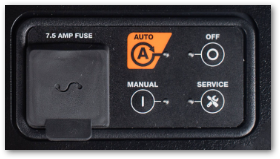
To view firmware on Power Zone 200, see here: Viewing PowerZone 200 Controller, ECU, and Connectivity Accessory firmware information
Evolution 1 & 2 / Sync 2 & 3 controllers
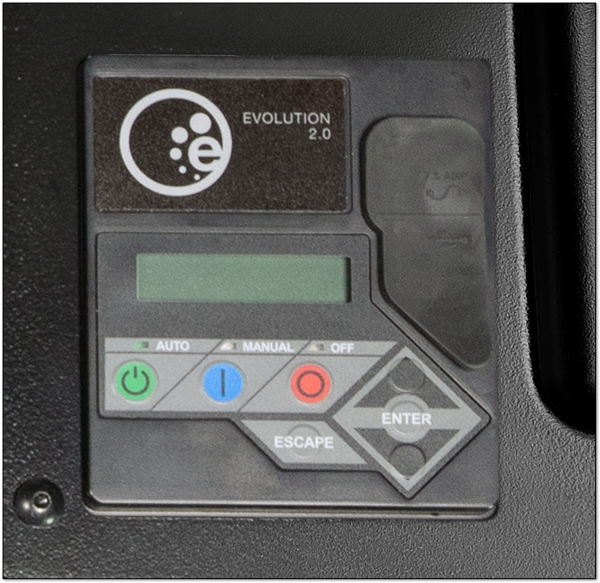
Use these steps when your home screen shows the four tiles: System, Date/Time, Wi‑Fi, and Sub Menus.
- From the Home screen, use the arrow keys to highlight Sub Menus, then press Enter.
- Scroll to Edit and press Enter.
- Scroll until Firmware Update is displayed, then press Enter. Highlight USB and select Enter again.
- The screen will display Current: V This value is your control panel’s firmware version.
Note: If you don’t see Edit, back out one level and ensure you entered Sub Menus from the Home screen. If the menu appears locked, set the generator to OFF and try again.
Related resources